
Best Steps for Using Genealogy.com in Your Family History Research
Best Steps for Researching Your Family History on Genealogy.com
Starting a family history project can feel overwhelming, but a clear plan makes it easier to find useful records and build an accurate family tree. Genealogy.com can be one resource in that process. The steps below can help you make the most of your research while keeping your findings organized and reliable.
Begin with What You Know
Before searching online, write down what you already know about your family. Record names, dates, places, and relationships, and talk with relatives who may have family stories, photographs, letters, or documents. Note which details are confirmed and which are uncertain.
Start with yourself and work backward, one generation at a time. This approach helps prevent mistakes such as attaching a record to the wrong person simply because the names are similar.
Set a Specific Research Goal
Instead of searching for an entire family line at once, focus on one question. For example, you might want to confirm a great-grandparent’s birth year, identify a couple’s marriage location, or learn when a relative moved to a new state.
A focused question makes it easier to choose search terms and assess whether a record actually answers what you need to know.
Search Genealogy.com Thoughtfully
When using Genealogy.com, begin with the information you consider most reliable, such as a person’s full name and an approximate location or date. If a search returns too few results, broaden the dates or try alternate spellings. If it returns too many, add a spouse, parent, place, or other known detail.
Names may appear in different forms across records. Try nicknames, initials, alternate spellings, and variations in a person’s first or last name. Also consider that dates in family stories may be approximate.
Evaluate Every Record
A search result is a lead, not proof by itself. Read the record carefully and ask:
- Does the person’s age or birth date fit what you know?
- Does the location make sense for the family’s history?
- Are relatives or associates named in the record?
- Could another person with the same name be a better match?
- Is the information original, or was it copied from an earlier source?
Whenever possible, examine the full record rather than relying only on a search summary or an index. Details in the original document may reveal relationships or clarify an apparent mismatch.
Record Your Sources
Keep a note for every important fact you add to your family history. Include the record’s title, the person it concerns, the date or place, where you found it, and any relevant page or image information. Save a copy or citation when the site’s terms and available features allow it.
Source notes make it easier to retrace your research, compare conflicting evidence, and share your conclusions with relatives.
Confirm Key Facts with Other Sources
Whenever possible, look for more than one source to support an important conclusion. A census entry, for example, may help identify a household, while a birth record, obituary, church register, or probate file may provide additional evidence. Local libraries, archives, historical societies, and government offices can also hold useful records.
Different records may contain conflicting dates or spellings. Rather than choosing one detail immediately, record the disagreement and consider when, why, and by whom each source was created.
Organize Your Findings
Use a family tree, research log, or spreadsheet to track people, relationships, sources, and unanswered questions. A research log can note what you searched, which terms you used, and what you plan to try next. This helps avoid repeating the same searches and keeps your project manageable.
Protect Living Relatives’ Privacy
Be considerate when collecting or sharing information about living family members. Ask permission before publishing personal details, private photographs, or sensitive stories. Follow the privacy settings and terms of any service you use.
Build Your Family History One Step at a Time
The best genealogy research is careful, organized, and supported by evidence. Use Genealogy.com as one part of a broader search, verify promising discoveries, and keep clear notes about where each fact came from. By working one question and one generation at a time, you can create a family history that is both meaningful and well documented.
8 Essential Tips for Tracing Your Family History on Genealogy.com
- Start with yourself and work backward.
- Interview older relatives first.
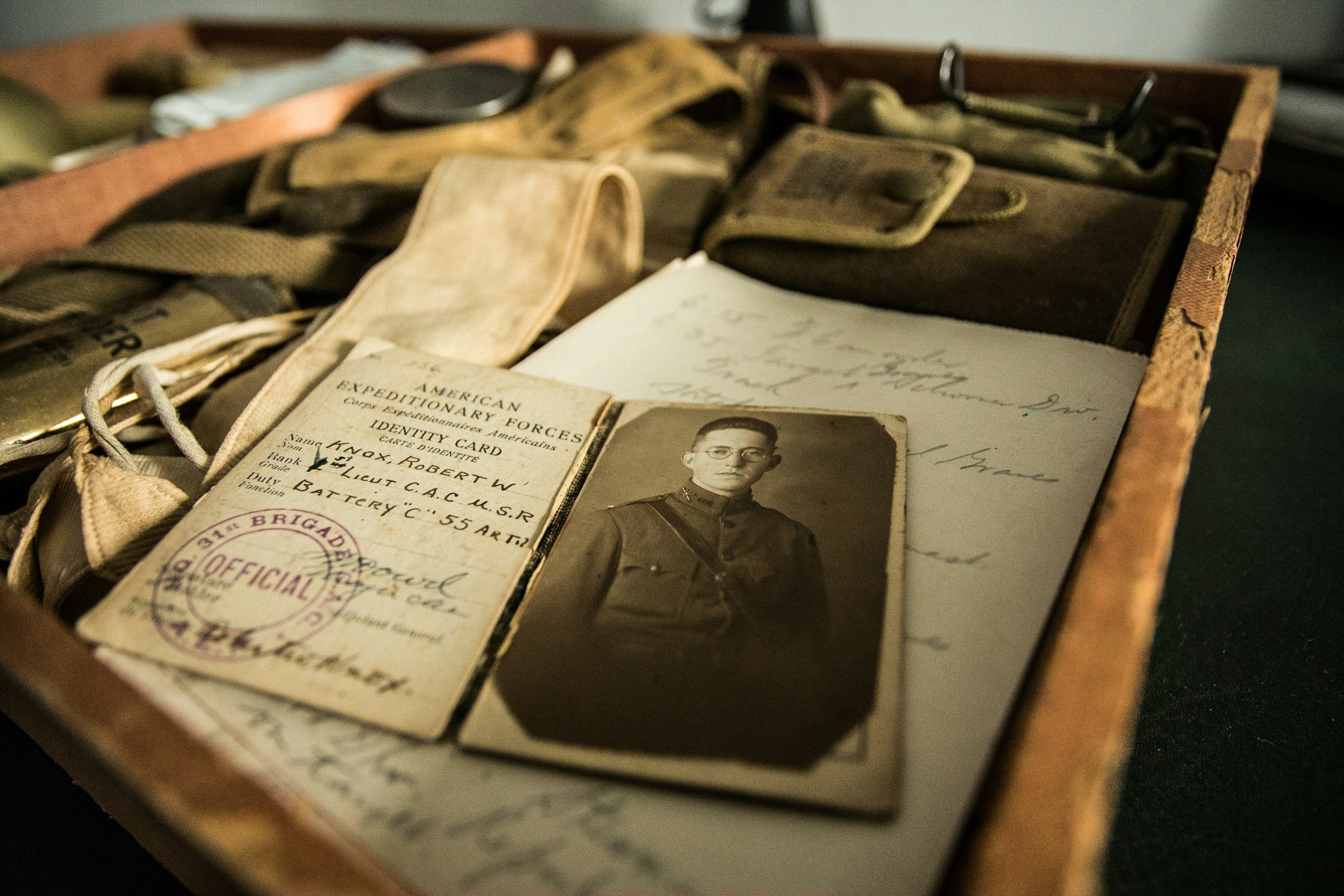
- Gather family documents and photos.
- Search Genealogy.com by name and place.
- Try spelling variations and nicknames.
- Check original records when possible.
- Verify each fact with multiple sources.
- Save citations and organize your findings.
Start with yourself and work backward.
Start with yourself and work backward, recording what you know about your own life before researching your parents, grandparents, and earlier generations. This step-by-step approach helps you organize names, dates, and places, and makes it easier to verify each relationship before adding it to your family tree. Keep track of where each detail came from, and treat family stories as helpful clues to investigate rather than confirmed facts.
Interview older relatives first.
Interview older relatives first because they may remember names, places, family stories, and personal details that are not recorded anywhere else. Ask open-ended questions about their childhood, parents, grandparents, family moves, and traditions, and give them plenty of time to share memories. With their permission, record the conversation or take careful notes, then follow up by checking names, dates, and places against documents and other sources.
Gather family documents and photos.
Gathering family documents and photos is a great first step in genealogy research. Birth and marriage certificates, letters, diaries, newspaper clippings, photo albums, and even notes written on the backs of pictures can reveal names, dates, places, and family relationships. Ask relatives to share what they have, and record who provided each item and any stories or context they remember. Keep originals safe, make digital copies when possible, and use the details you discover to guide your searches on Genealogy.com and other research sites.
Search Genealogy.com by name and place.
Search Genealogy.com using a person’s name together with a known place to narrow the results and find records that are more likely to match your family. Start with the full name and a town, county, or state, then try alternate spellings, nicknames, and approximate dates if needed. Since people can share the same name or move over time, compare each result with other details—such as relatives, ages, and locations—before adding it to your family tree.
Try spelling variations and nicknames.
When researching your family history on Genealogy.com, try different spellings of a name and any nicknames your relative may have used. Names were sometimes misspelled, shortened, or recorded phonetically, and a person may appear under a middle name, initials, or an alternate spelling. Searching these variations can uncover records that a search using only the familiar name might miss.
Check original records when possible.
Check original records whenever possible to verify information found in indexes, family trees, or search results. The original document may include details that a summary leaves out, such as relationships, addresses, witnesses, or corrections. Reviewing the full record can help you distinguish between people with similar names and build a more accurate family history.
Verify each fact with multiple sources.
Verify each family-history fact with multiple reliable sources before adding it to your tree as confirmed. Records can contain errors, and people with similar names may be mistaken for one another, so compare details such as dates, locations, relatives, and life events across documents like census records, birth and death certificates, obituaries, and church registers. Keep notes about where each detail came from, and flag any conflicting evidence for further research.
Save citations and organize your findings.
Save a citation for every record you use, noting its title, creator, date, location, and where you found it. Keep citations, document copies, and research notes organized by person or family line so you can quickly revisit evidence, compare conflicting details, avoid repeating searches, and share well-supported findings with relatives.